Wednesday, July 26, 2006

Cheap Battery Replacement for Palm Tungsten E

I'm a self-confessed techie that's allergic to gadgets and computers when not in the office. I don't like PDA's and fancy celphones like most people but when I was given a Tungsten E by a supplier for ordering a handful of LAN switches that came with one part of their marketing promo, I accepted it gladly but didn't actually use it.

Tried to sell that gizmo in various online stores but I only get disappointing offers so i decided to just wait. What I didn't realize was that the battery was already dead when i found someone who needed to use it. I brought the thing to Microwarehouse, the local distributor, and also to a service center in Makati but their staff informed me that indeed the battery just died on me but they can't repair it due to lack of spare battery. He however gave me an alternative to surrender my defective unit, pay $100 dollars and wait for PalmOne to replace it with a new one.

Now that is something, a hundred dollars is a lot of money in this part of the world that I refused his offer and thought of another way, the intrepid engineer that I am, that led me to open it up myself.

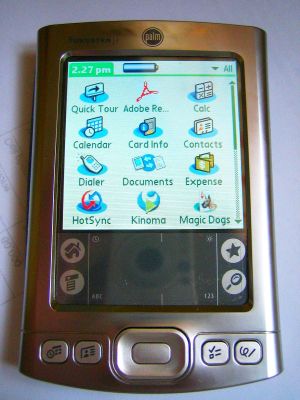
Luckily I have a T5 screwdriver that can open the thing that came with my T6 I use to tinker with my Nokia mobile phone. Guess what I really needed after a few trips to Greenhills to find a Lithium Ion battery that can fit inside the palm's case. Just unsoldered the old battery and the protection circuits and connected the new battery similar to the picture shown here.


Guess what! My palm's still working well after almost a year now and it cost me just P150 for the replacement battery instead of a hundred bucks!

Saturday, April 22, 2006

How-to: Post Pictures in phpBB Forums

A quick guide on how to post pictures in any phpBB or similar forums using Photobucket.

It's as easy as uploading your pictures to your photobucket account and copy/pasting the location of the target picture in your phpBB post. The following screenshots will show you how

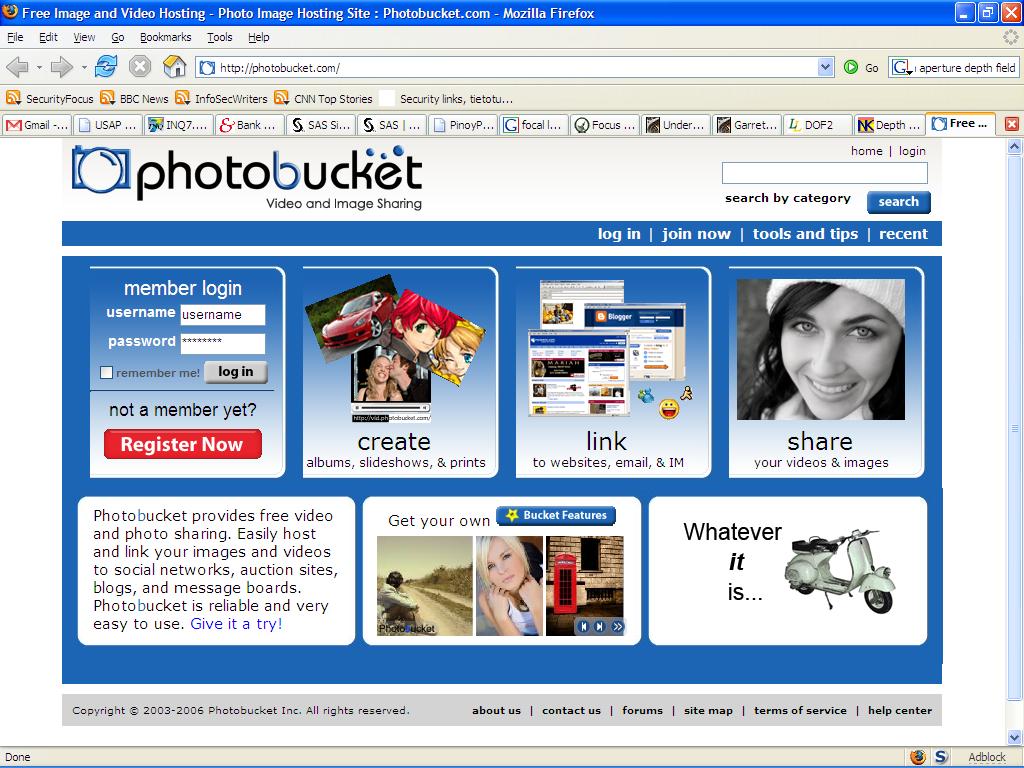
First, fire up your browser and go to http://www.photobucket.com


Click Join Now button on the upper right hand corner of your browser. The following screen will ask you for your desired username and password


Enter required information. Friendly reminder: just don't reveal too much about yourself if you value your privacy :)


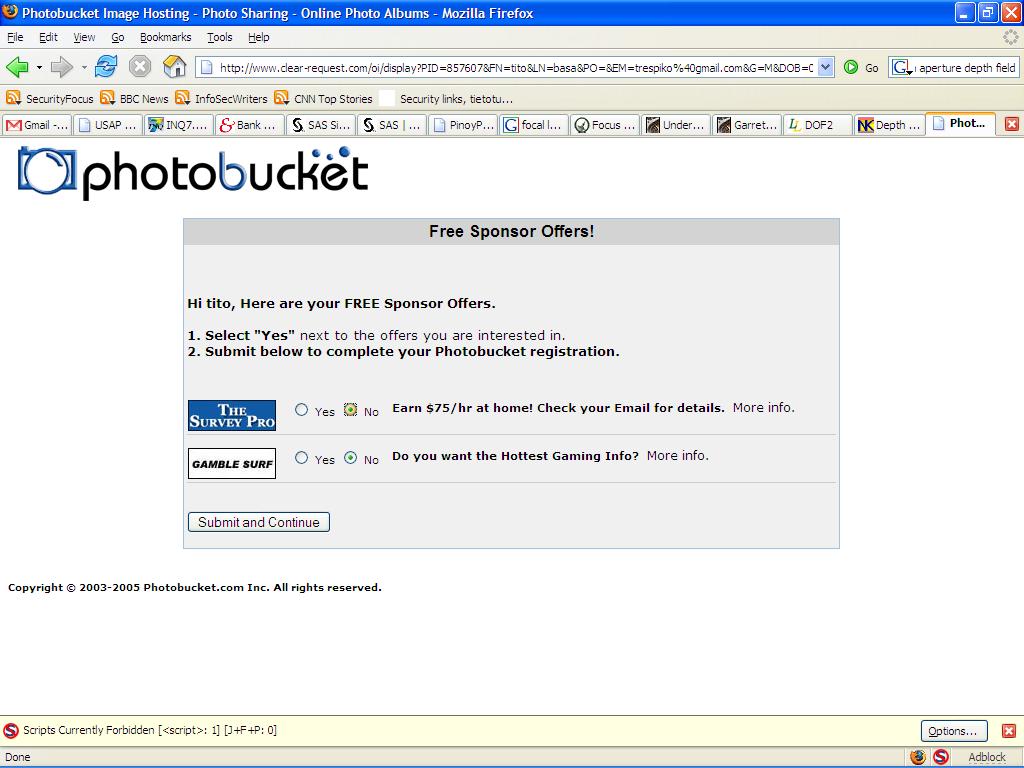
Don't want to be disturbed? Select NO! :)


The initial login screen:

Be Patient!


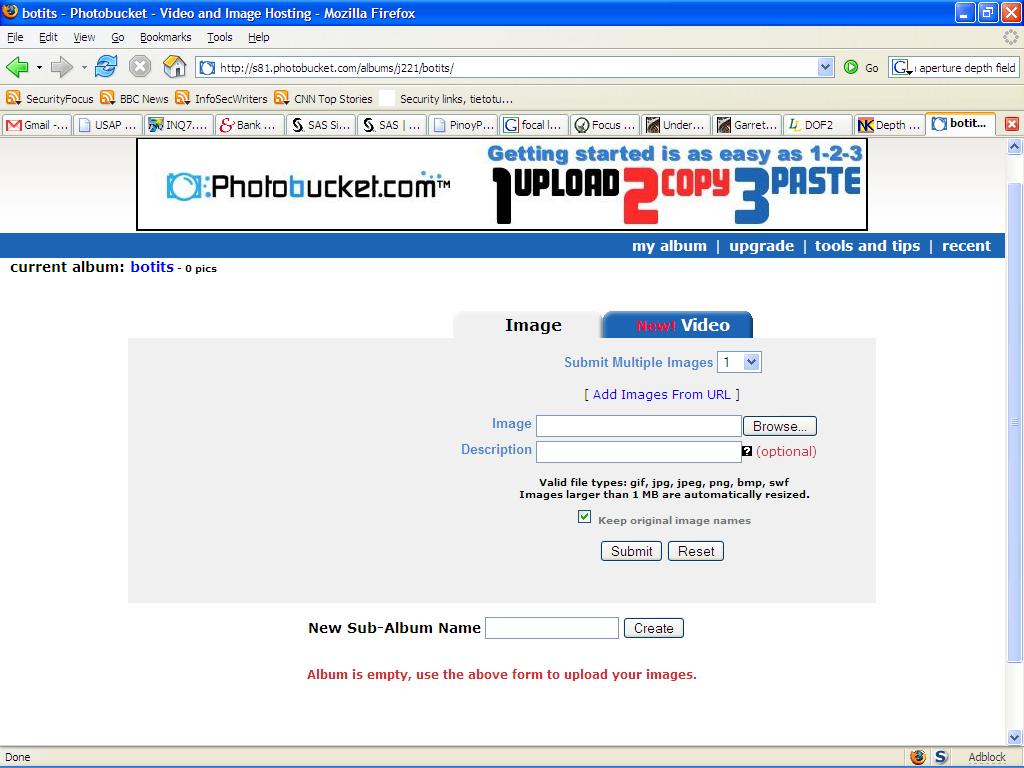
The main screen of your Photobucket account where the image upload wizard is shown.
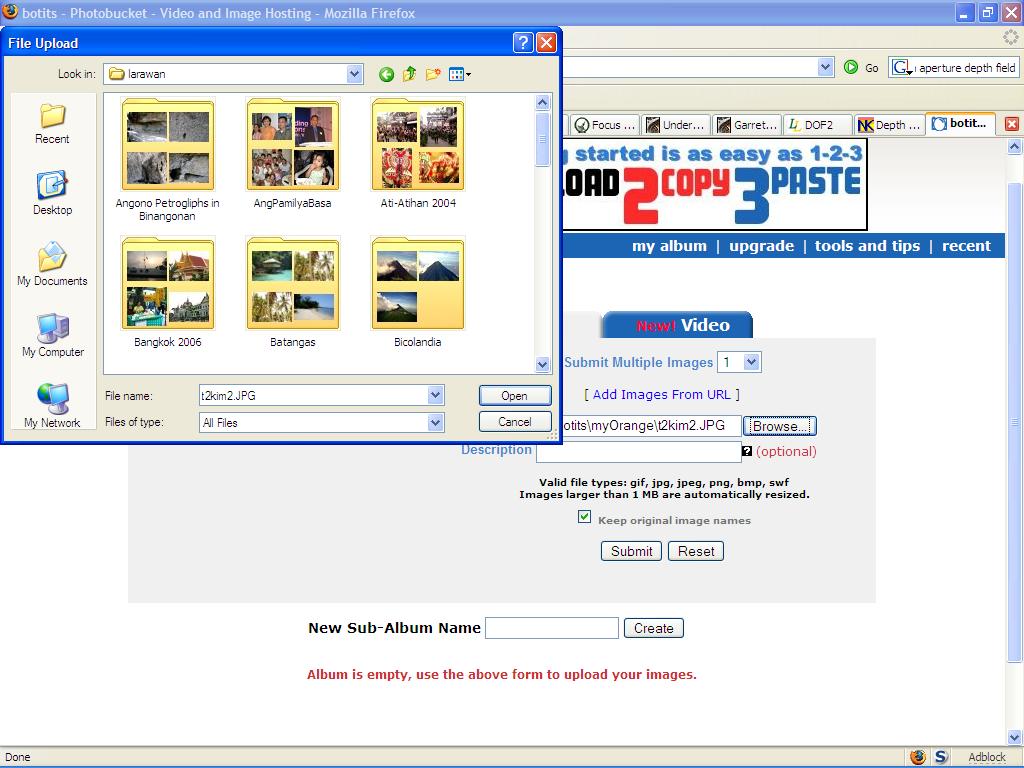
To upload your picture, click Browse button where you'll be asked to select the picture to be uploaded from your computer.


Click Submit after selecting


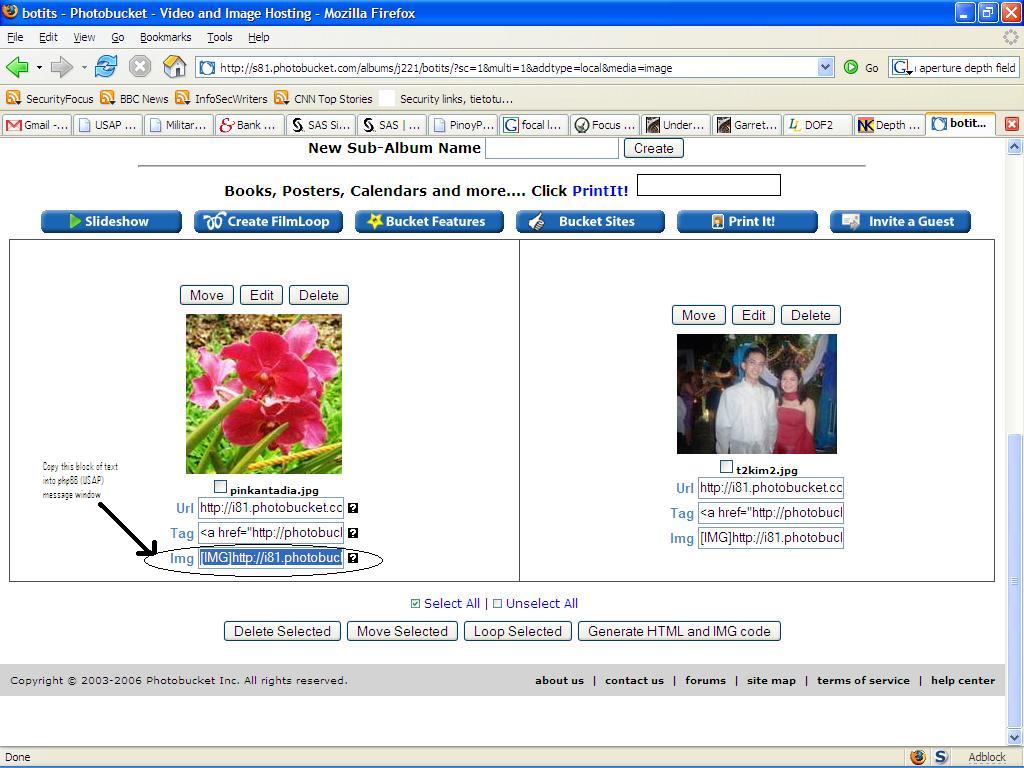
Wait for the uploading process to finish. This might take time depending on the speed of your Internet connection and the file size of the image. You'll see a thumbnail display of your image displayed. Select the text inside the box beside the Img button. This group of text is what you'll paste in your phpBB message.


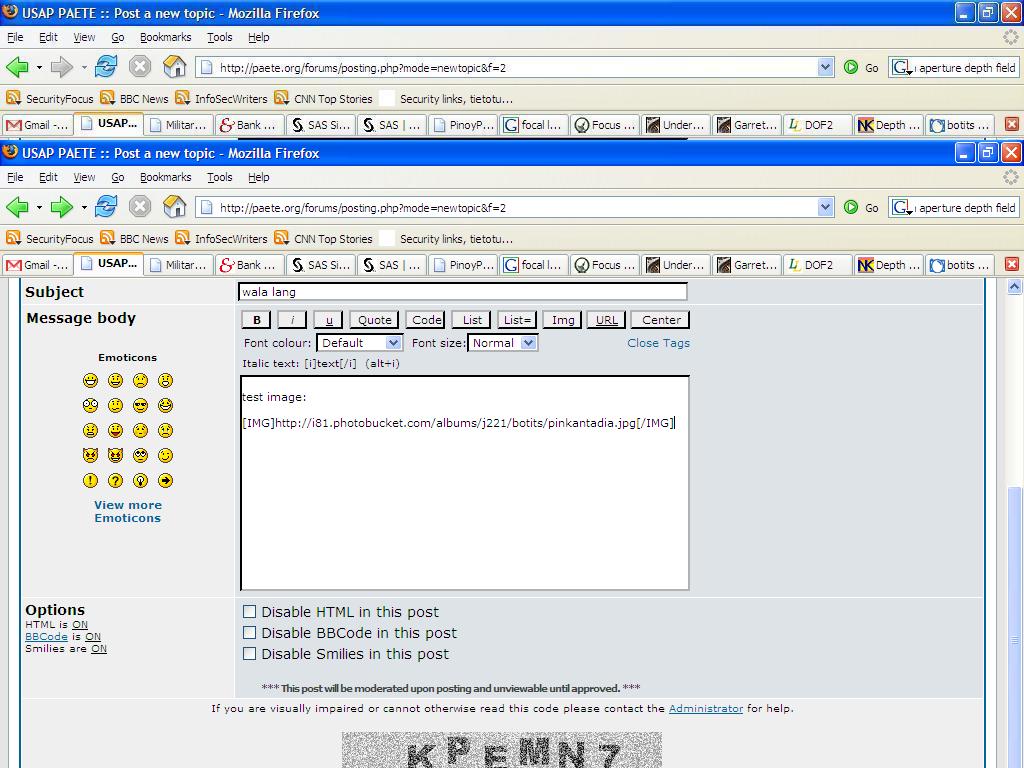
Next,Point your browser now to your forum (Paete) and perform the usual message posting you normally do.

For illustation purpose only, we'll start a new topic by clicking the New Topic button on the upper left hand corner of the forum


Paste the earlier copied block of text from Photobucket i.e. something like this:
[IMG]http://i81.photobucket.com/albums/j221/botits/pinkantadia.jpg[/IMG]

Make sure the "Disable BBCode in this post" checkbox is unchecked!

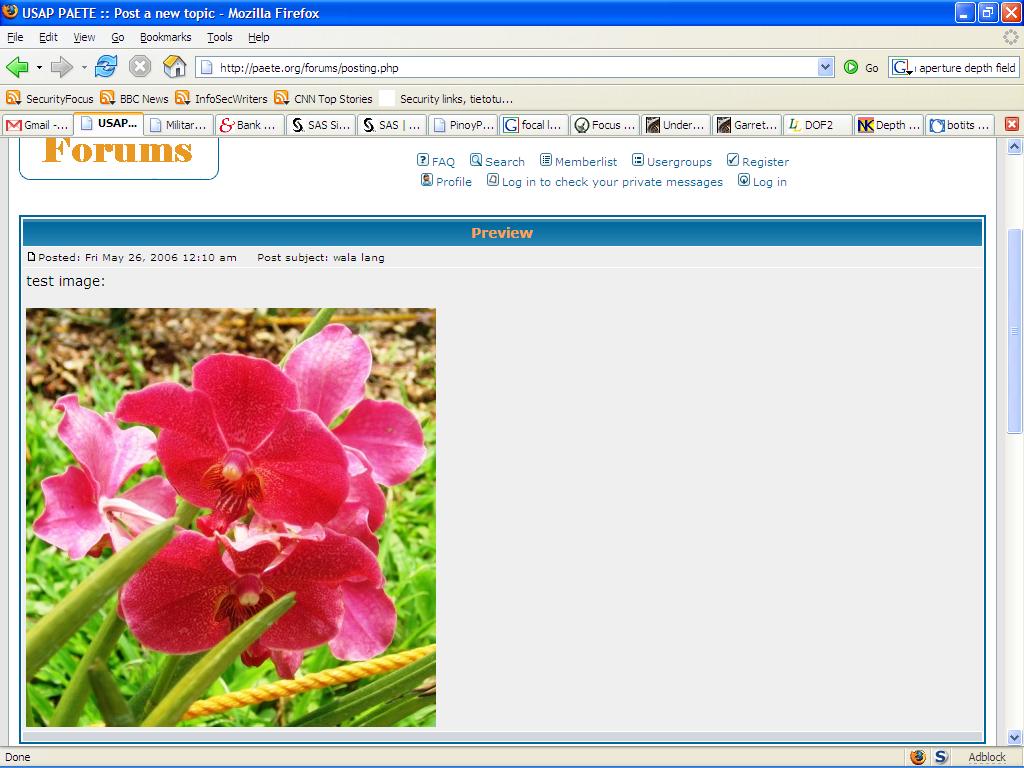
CLick the Preview button to check your message or directly Publish


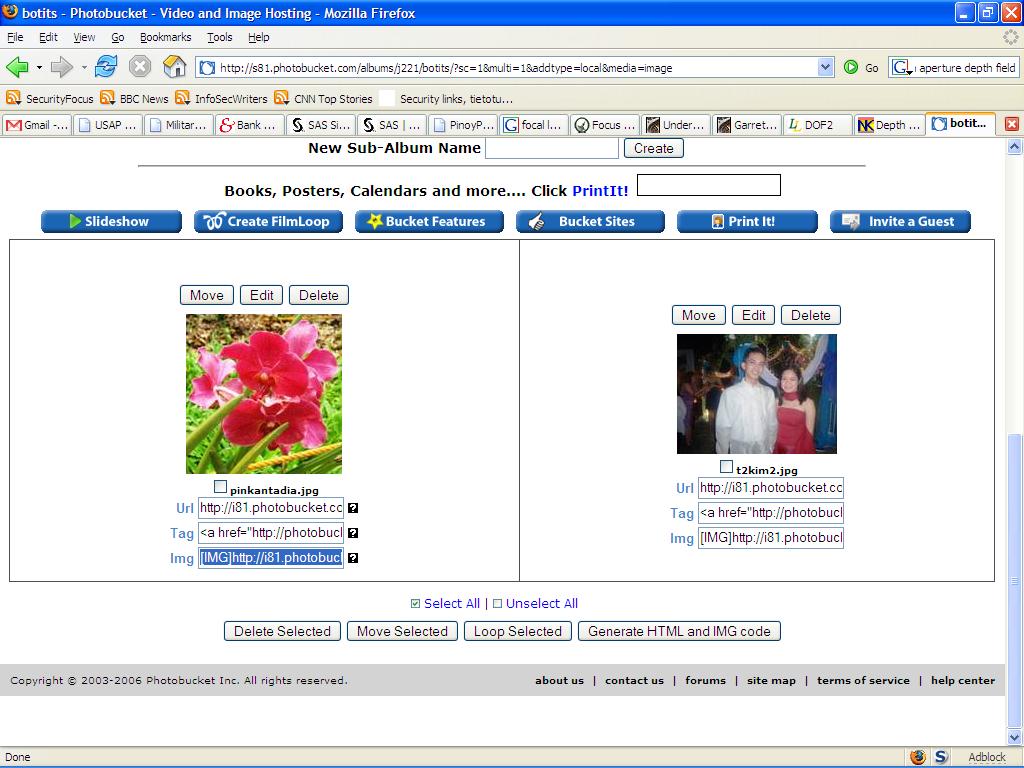
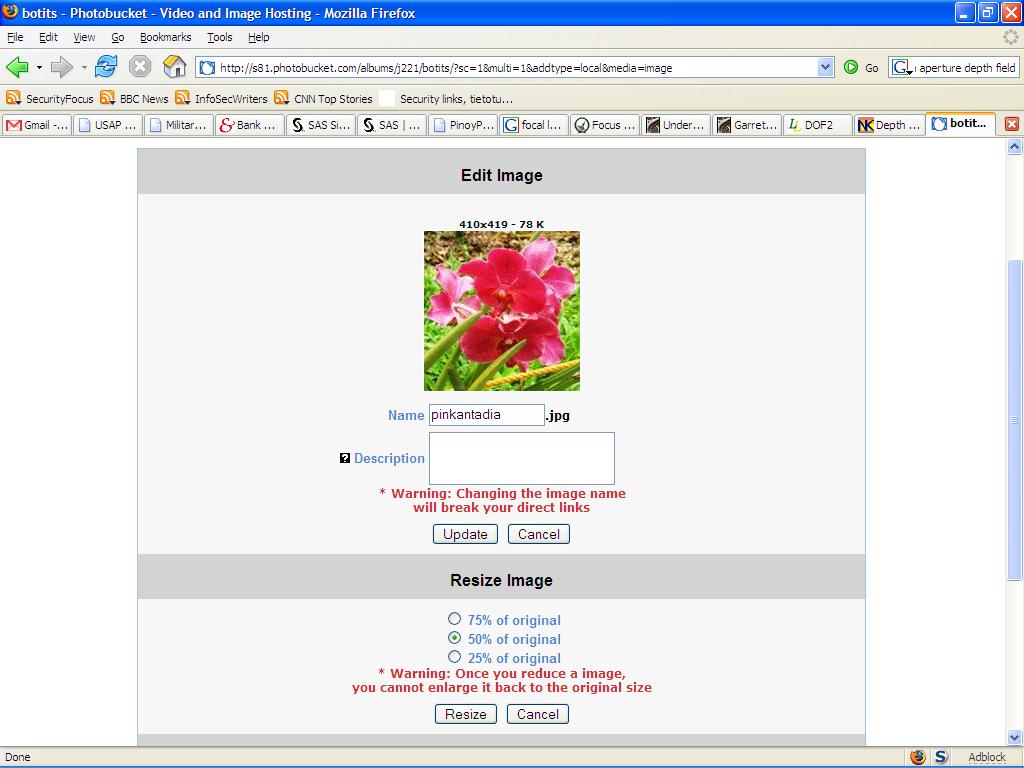
If however you find the uploaded picture too large for your screen, you can resize your uploaded picture in Photobucket by clicking the Edit button above your thumbnail picture


Here you can choose to resize your picture 75/50/25 percent smaller than the original. It's recomended to have a size of 640x480 in order for your picture to fit most computer screens


After resizing, Refresh/reload your phpBB (USAP) browser to see the changes!